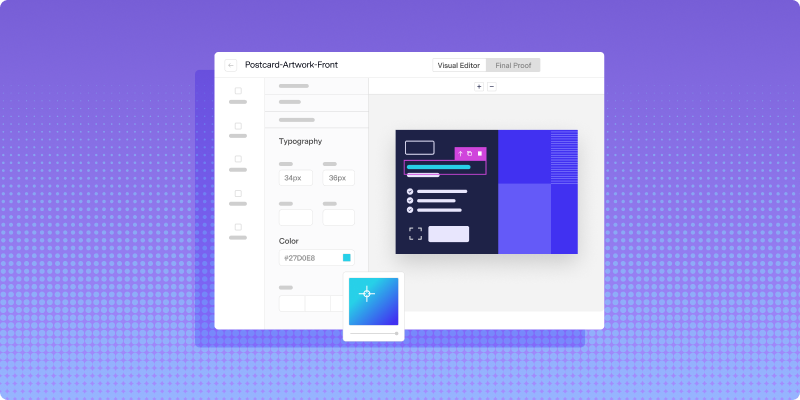
Your digital channels can change messages, offers, and creative for each customer. Direct mail should be able to use the same customer data without requiring a separate print job for every version.
Variable data printing, or VDP, makes that possible. It allows text, images, offers, and other content to change from one mailpiece to the next within the same production run. With 100% variability, every content element can change when the use case calls for it.
What 100% variability means in direct mail
Full variability does not mean every part of every mailpiece must be different. It means your platform and production workflow do not limit which content elements can change.
Some elements will usually remain fixed:
- Mailpiece dimensions
- Paper stock
- Postal and address zones
- Brand standards
- Required disclosures
- Core layout structure
Other elements can change for each recipient:
- Names and account information
- Headlines and body copy
- Product recommendations
- Images and graphics
- Offers and expiration dates
- Calls to action
- Branch or location details
- Languages
- QR codes and personalized URLs
The physical format and production specifications still need to remain compatible with the print run. Within those boundaries, a fully variable workflow gives you control over the content each recipient sees.
How traditional print workflows limit customization
Traditional direct mail is often priced and produced as a batch. The printer evaluates the volume, paper, dimensions, ink, finishing requirements, and number of versions before preparing the job.
Offset printing works well for large runs of identical material because the same design is reproduced repeatedly. When content needs to change from piece to piece, the job usually requires digital printing.
The production technology is only part of the problem. Traditional workflows may also require separate files, proofs, approvals, and job setups for each audience version. A campaign with 20 segments can quickly become 20 different production projects.
These constraints often reduce personalization to a name and address. More meaningful changes, such as individualized offers or images, become too difficult to manage manually.
The levels of variable data printing
Variable data printing can support different degrees of personalization.
Basic personalization
Basic VDP changes simple fields such as the recipient’s name, address, account number, or appointment date. This is similar to a traditional mail merge.
Versioned personalization
Versioning changes content for groups of recipients. Different segments may receive different headlines, offers, images, languages, or regional information.
Full variability
Full variability allows each recipient to receive an individually generated mailpiece. Text, images, offers, calls to action, and entire content sections can change based on the customer record.
The value of full variability is flexibility. A simple billing workflow may change only a few fields, while a product recommendation campaign may use different content throughout the piece. The same system can support both without forcing your team into separate production methods.
What full variability makes possible
When direct mail can use customer-level data, it can support more precise marketing and operational communication.
Examples include:
- Recommending products based on previous purchases
- Changing offers according to loyalty status
- Featuring the recipient’s nearest store or branch
- Sending content in the customer’s preferred language
- Personalizing newsletters around stated interests
- Including account-specific details in statements or notices
- Adjusting renewal messaging based on customer status
- Using unique coupon codes for each recipient
- Adding personalized URLs or QR codes
- Changing calls to action according to lifecycle stage
Full variability also supports direct mail triggered by CRM events. A customer action can initiate an individually generated piece rather than waiting for the next batch campaign.
For example, an abandoned cart could trigger a postcard showing the exact product left behind. A renewal event could create a letter with the customer’s plan details and deadline. A recent purchase could trigger instructions or recommendations related to that product.
How a variable data printing workflow works
A modern VDP workflow combines customer data, reusable templates, conditional logic, and digital print production.
1. Connect the data source
Customer information may come from a CRM, customer data platform, billing system, marketing automation tool, database, or approved audience file.
Each field used for personalization should have a clear source and purpose. Common fields include names, locations, purchase history, account status, product information, offer eligibility, and communication preferences.
2. Create a dynamic template
A dynamic template provides the shared structure for the mailpiece. Fixed elements establish the design, while variable fields show where recipient-specific content belongs.
For example, a template may include placeholders for:
- First name
- Recommended product
- Local branch
- Offer code
- Expiration date
- Personalized QR code
Modern dynamic direct mail templates can change individual fields or larger content sections without requiring designers to create every possible version manually.
3. Define personalization rules
Merge variables insert data directly into the template. Conditional logic determines which content appears based on the recipient’s record.
A customer in one region may see different store information than a customer in another. A current subscriber may receive a renewal message, while a former subscriber receives a reactivation offer.
These rules should be documented clearly. Complicated personalization logic becomes difficult to test when nobody can explain why a particular recipient received a particular version.
4. Generate and test the mailpieces
The system combines each customer record with the template to generate the final artwork. Before production, teams should preview records representing different segments and data conditions.
Test for:
- Long and short names
- Missing data
- Unexpected characters
- Different languages
- Image availability
- Incorrect content combinations
- Text overflow
- Broken URLs
- QR code placement and destination
- Required disclosures
A template that looks correct for one ideal customer record may break when it receives longer text or a missing image.
5. Print individual versions in one run
Once approved, the personalized files move into digital print production. Each piece can contain different content without requiring a separate batch setup for every recipient or segment.
This is what turns customer-level data into physical communication at scale.
Why 100% variability matters
Limited variability forces teams to design campaigns around what their printer can produce. Full variability allows teams to start with the communication each recipient should receive.
It reduces version sprawl
Instead of maintaining separate files for every audience, region, language, or offer, teams can manage a smaller number of dynamic templates.
That simplifies revisions and approvals. When a shared disclosure changes, the team can update the template rather than tracking down every static version.
It supports smaller and triggered sends
Full variability makes direct mail less dependent on large scheduled batches. Teams can generate individual pieces from customer actions or send smaller groups based on current data.
This allows physical mail to participate in lifecycle, retention, renewal, and reactivation workflows.
It connects direct mail with digital channels
The same data used to personalize email, SMS, websites, and paid media can inform direct mail. A customer can receive a consistent offer across channels without every message looking identical.
Connecting direct mail with your marketing technology also gives teams a shared source for triggers, audience rules, and suppression decisions.
It improves measurement
Unique coupon codes, personalized URLs, and dynamic QR codes help connect a physical mailpiece to an individual response or campaign path.
These identifiers should be created and tested as part of the template workflow. They should not be added manually after the personalized pieces have already been generated.
Use variability where it adds value
The ability to change everything does not mean you should personalize every available field. Unnecessary personalization can feel intrusive, introduce errors, and make the campaign harder to approve.
Start with the information that makes the communication more useful:
- A relevant product or service
- A clear local contact
- An accurate account detail
- A meaningful deadline
- A preferred language
- A response path connected to the recipient’s needs
Use only data that is reliable, permitted, and appropriate for the communication. Sensitive or regulated information requires the correct security, privacy, and approval controls.
Always provide fallback content for missing data. “Hello there” is better than a blank greeting, and a general product image is better than a broken personalized image.
Build governance around personalized mail
Full variability increases flexibility, but it also increases the number of possible outputs. Teams need controls that cover the template, data, and personalization rules.
A reliable process includes:
- Approved data sources
- Defined field ownership
- Template version control
- Documented conditional rules
- Fallback values
- Representative test records
- Proofing across segments
- Access controls
- Suppression rules
- Post-send monitoring
Review the highest-risk combinations, not only the most common ones. A rare content path can still create a costly mistake if it exposes the wrong offer, image, account information, or disclosure.
Create fully variable direct mail with Lob
Lob’s Create and Personalize tools support dynamic HTML templates, merge variables, and conditional logic. Teams can personalize individual elements or entire content sections while keeping approved brand and production standards in place.
Customer data can enter the workflow through uploaded lists, integrations, or APIs. Lob then generates the personalized mailpieces and moves them into print and delivery through one connected platform.
This gives teams the freedom to use simple personalization today and expand into more advanced use cases without rebuilding the production workflow.
Book a demo to see how Lob supports variable data printing and personalized direct mail at scale.
Frequently asked questions about variable data printing
FAQs

What is variable data printing?
Variable data printing is a digital printing process that changes text, images, offers, or other content from one mailpiece to the next using data connected to a template.
What does 100% variability mean?
100% variability means every content element within an approved mail format can change for each recipient. It does not mean every element must be personalized in every campaign.
Is variable data printing the same as mail merge?
Mail merge is a basic form of variable data printing that typically changes names, addresses, or other simple fields. Full VDP can also change images, offers, calls to action, languages, and entire content sections.
Can variable data printing personalize images?
Yes. A dynamic template can select different images based on recipient data or conditional rules. Teams should include approved fallback images and test every possible content path before sending.
Does full variability require a separate design for every recipient?
No. A reusable dynamic template provides the structure, while merge variables and conditional logic generate the appropriate version for each recipient.
What data can be used for variable data printing?
VDP can use approved data from CRMs, customer data platforms, billing systems, marketing automation tools, databases, or audience files. Common fields include names, locations, purchase history, account details, preferences, loyalty status, and offer eligibility.
Answered by:

Sam Melero